Person
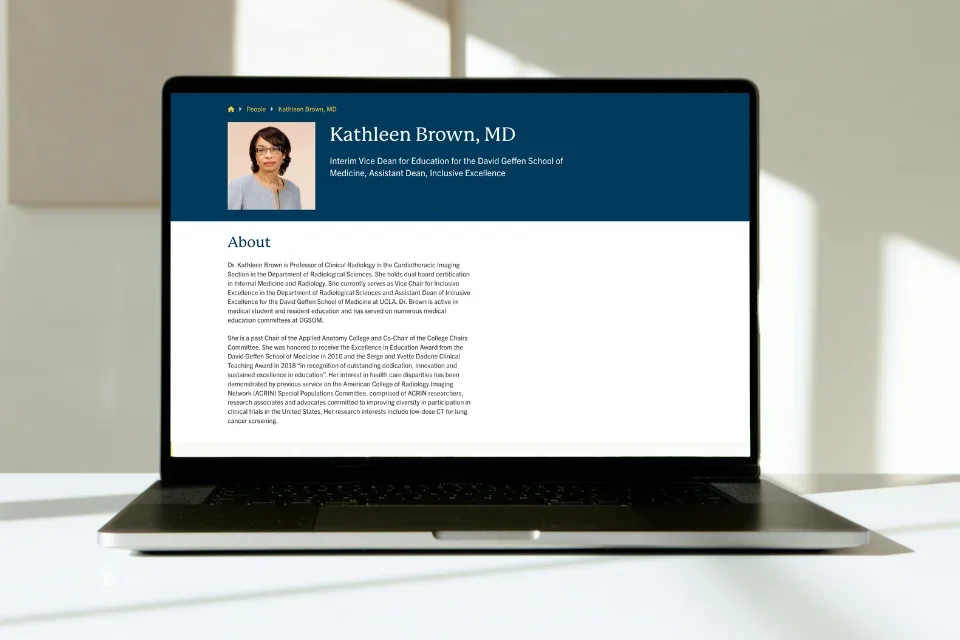
What is the Person Content Type?
The Person content type allows you to create profiles for individuals and directories of people in a department or research area.
Creating a Person Profile
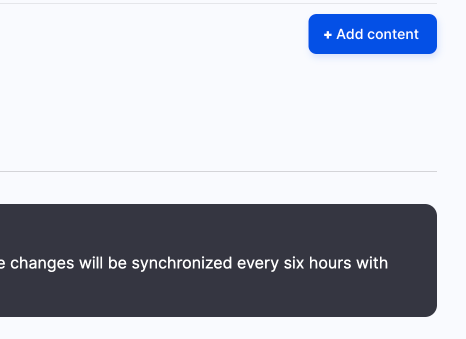
- Click Content on the second panel.
- Click Add content button
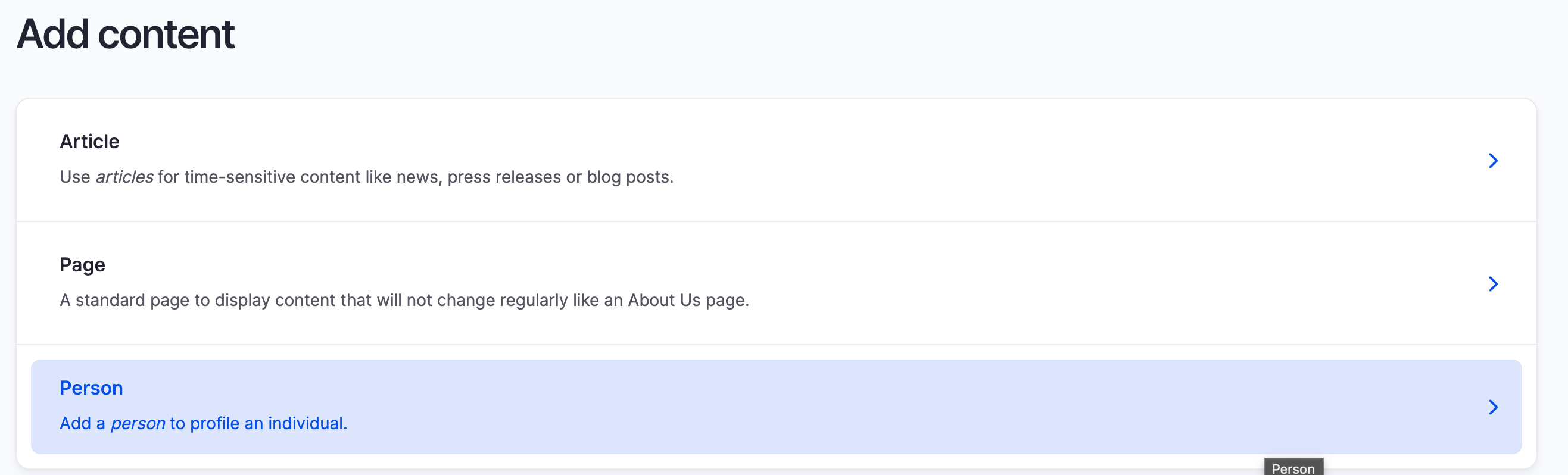
- Select Person from the list of content types to create the profile
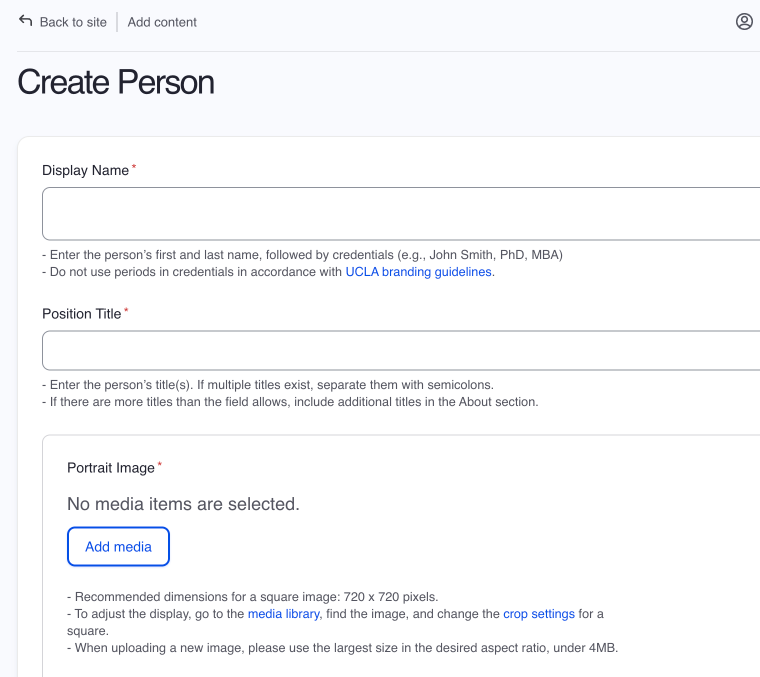
- Display Name (Required): Enter the person’s first and last name, followed by credentials (e.g., John Smith, PhD, MBA). Do not use periods in credentials in accordance with UCLA branding guidelines.
- Position Title: Enter the person’s title(s). If multiple titles exist, separate them with semicolons. If there are more titles than the field allows, include additional titles in the About section.
- Portrait Image:
- Click Add Media
- Upload an image or select a preexisting image from the media library
- Recommended dimensions for a square image: 720 x 720 pixels.
- To adjust the display, go to the media library, find the image, and change the crop settings for a square.
- If you do not have an image, search for “no photo,” and use the DGSOM placeholder.
- Content Access (Medschool, CTSI, and Dentistry site): Select the department or group that needs access to edit this content. If your group is not selected, you will lose access to the content once the page is saved.
- Redirect to Profile URL (Optional): When this field is completed, the person page will automatically redirect to the other profile. You are only able to redirect to UCLA profiles or UCLA Health profiles. The URL must be in the following format: http://example.com.
- Email Address (Optional): You are only able to add one email address.
- Phone Number (Optional): You are only able to add one phone number.
- Website URL and Link Text: The URL must be in the following format: http://example.com.
- Complete the following fields as needed:
- About (required)
- Education and Degree(s)
- Honors and Awards
- Publications
- Membership and Service
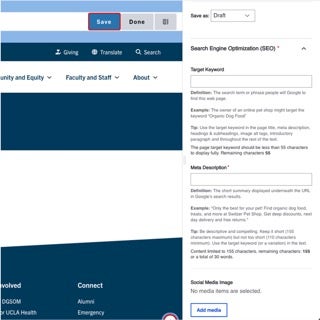
- Search Engine Optimization (SEO) Section
- Meta Description: The short summary displayed underneath the URL in Google’s search results as well as the Web Platform Healthsciences search page.
- Original Source URL (optional): If this content is being reposted, please enter the URL of the original source material so the search engines know which version is the “main” copy.
- Click Save
- Click Save to publish the Person page.