Creating a Button
How to Add a Button
To add a button, you need to first add a component in Layout Paragraphs. Please review the Page (Layout Paragraphs) page if you have not already done so. Next, you need to access the WYSIWYG content editor.
Creating a Button
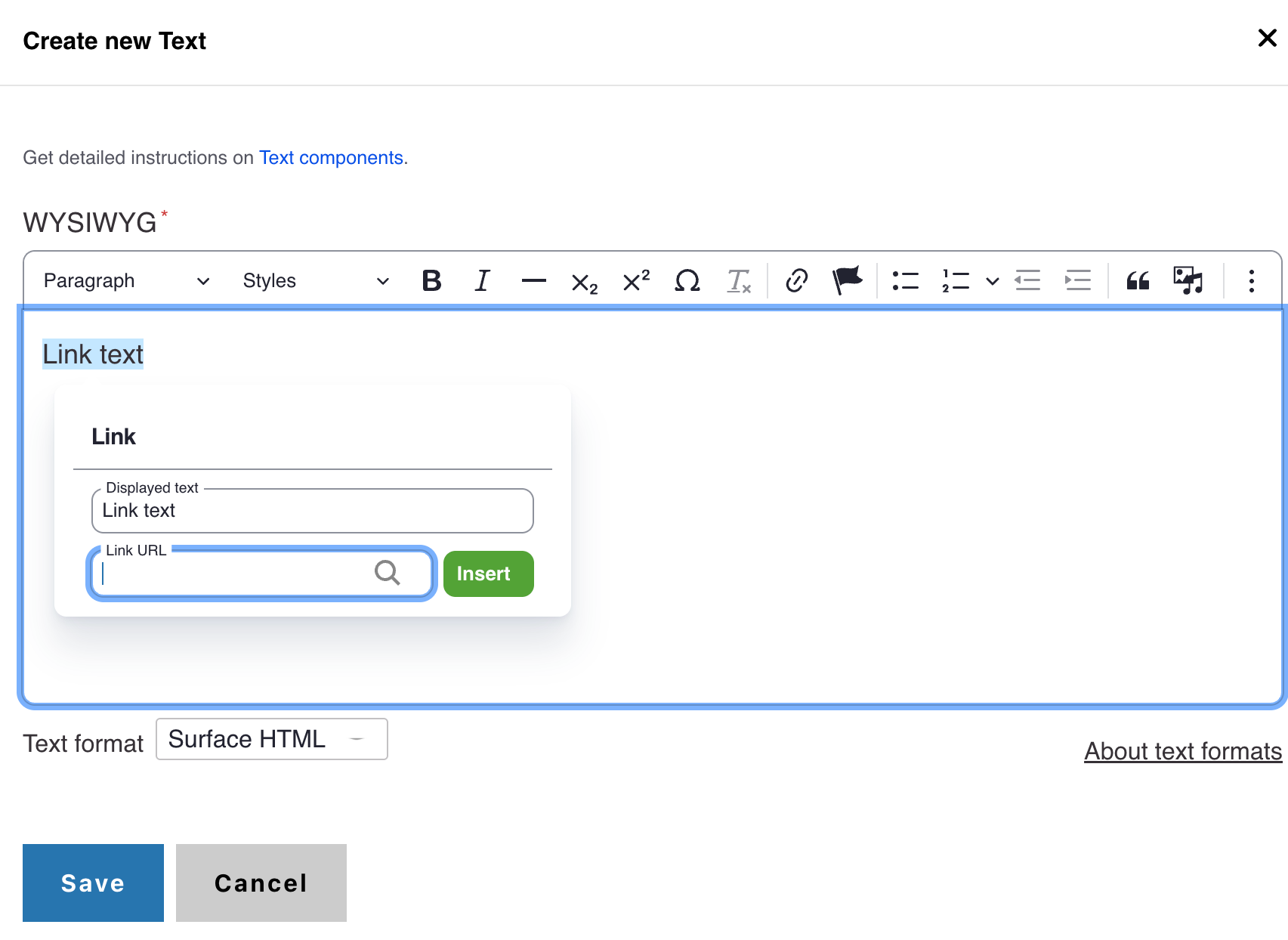
- In the WYSIWYG content editor, add the text you want to become a button.
- Highlight the text you just created.
- Click the Link Button at the top of the WYSIWYG content editor.
- Add the appropriate URL
- Click Save.
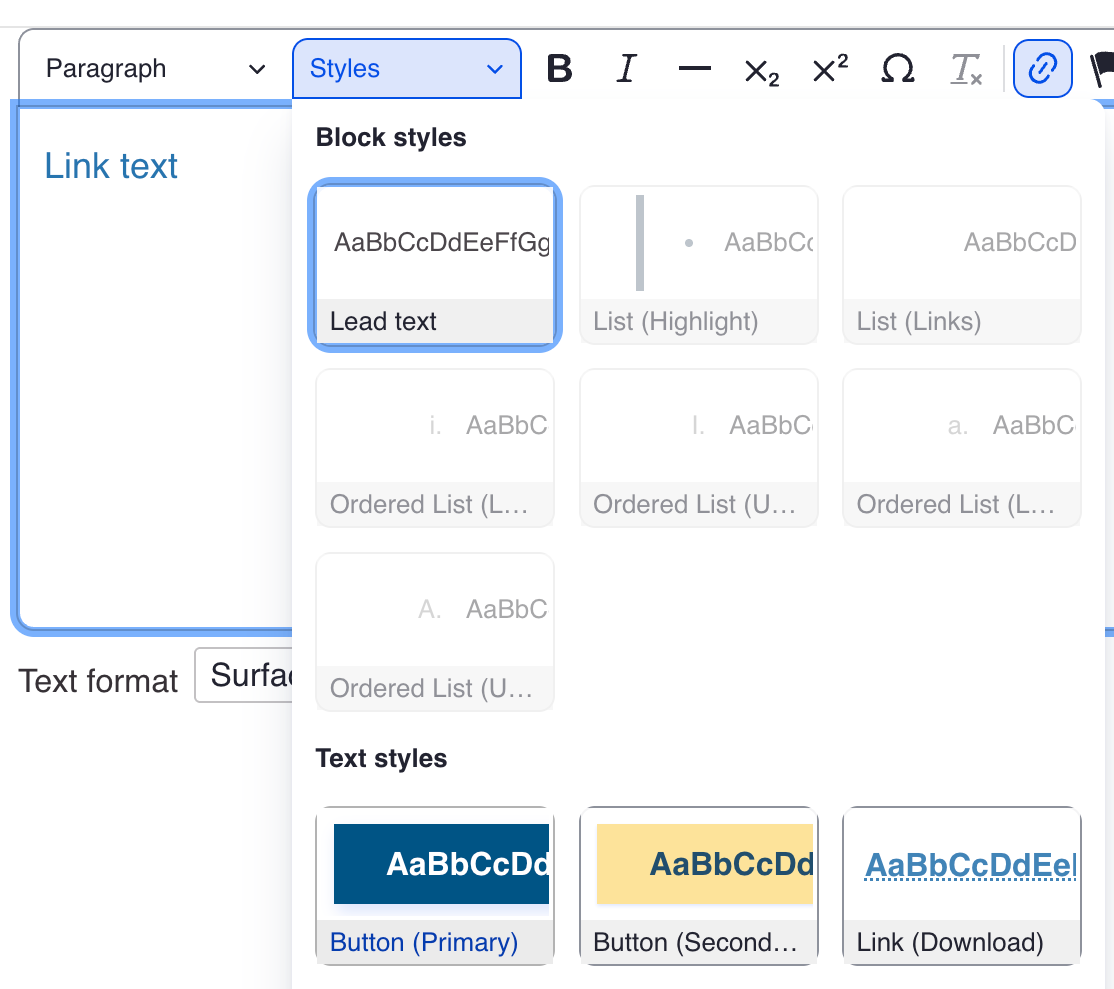
- Highlight the link, and click the Styles menu
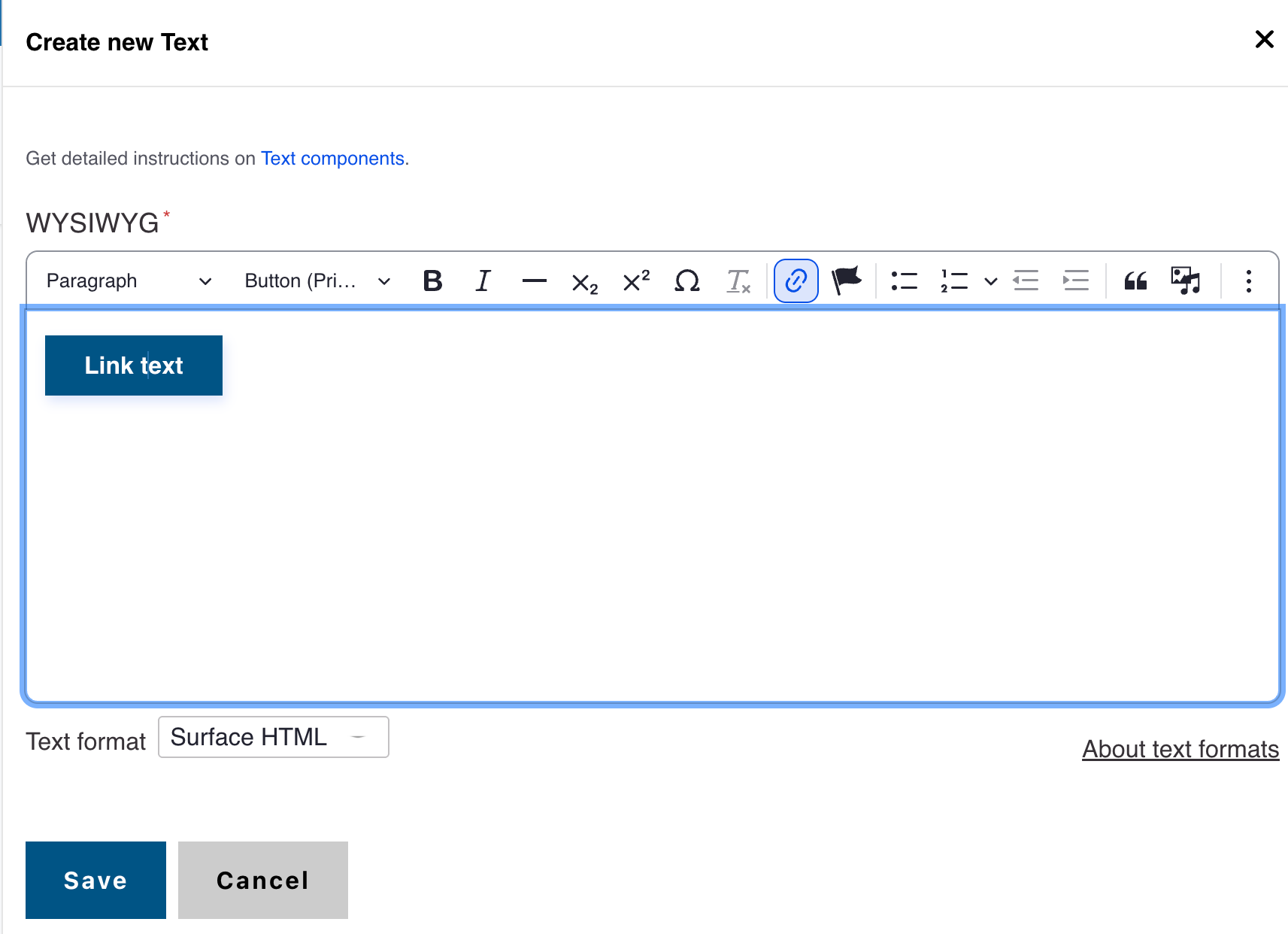
- Select a button type from the Styles dropdown menu
- Click save in the WYSIWYG