
Images
Image Media Type
The Image media type allows you to upload and manage images so they can be reused across your site.
Allowed Image Types: png, jpg, jpeg
Maximum file size: 4MB
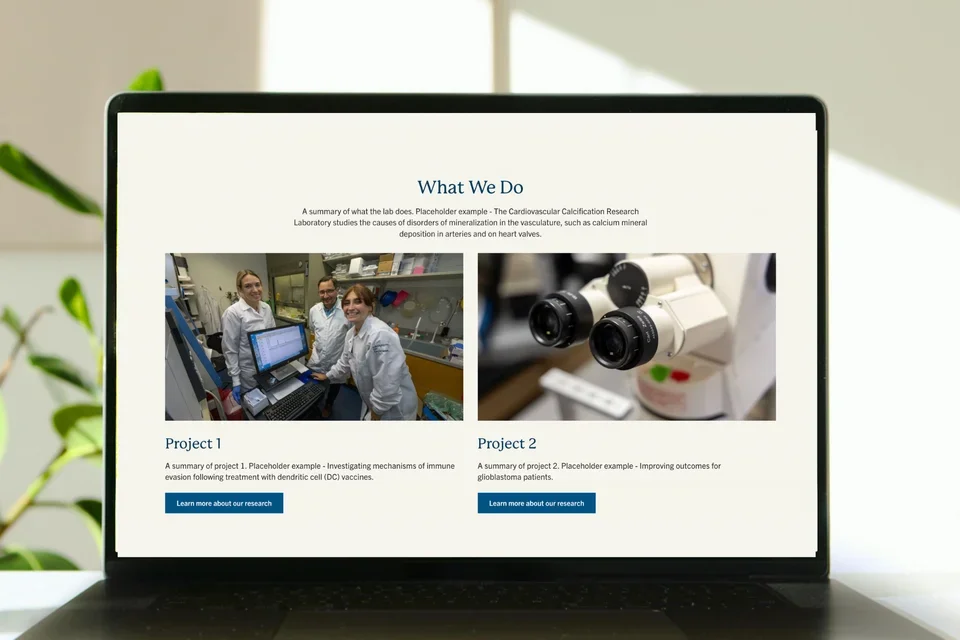

Recommended Image Sizes and Preparation
Learn About Image SizesAdding Images on a page




Adding Images in the Text Editor
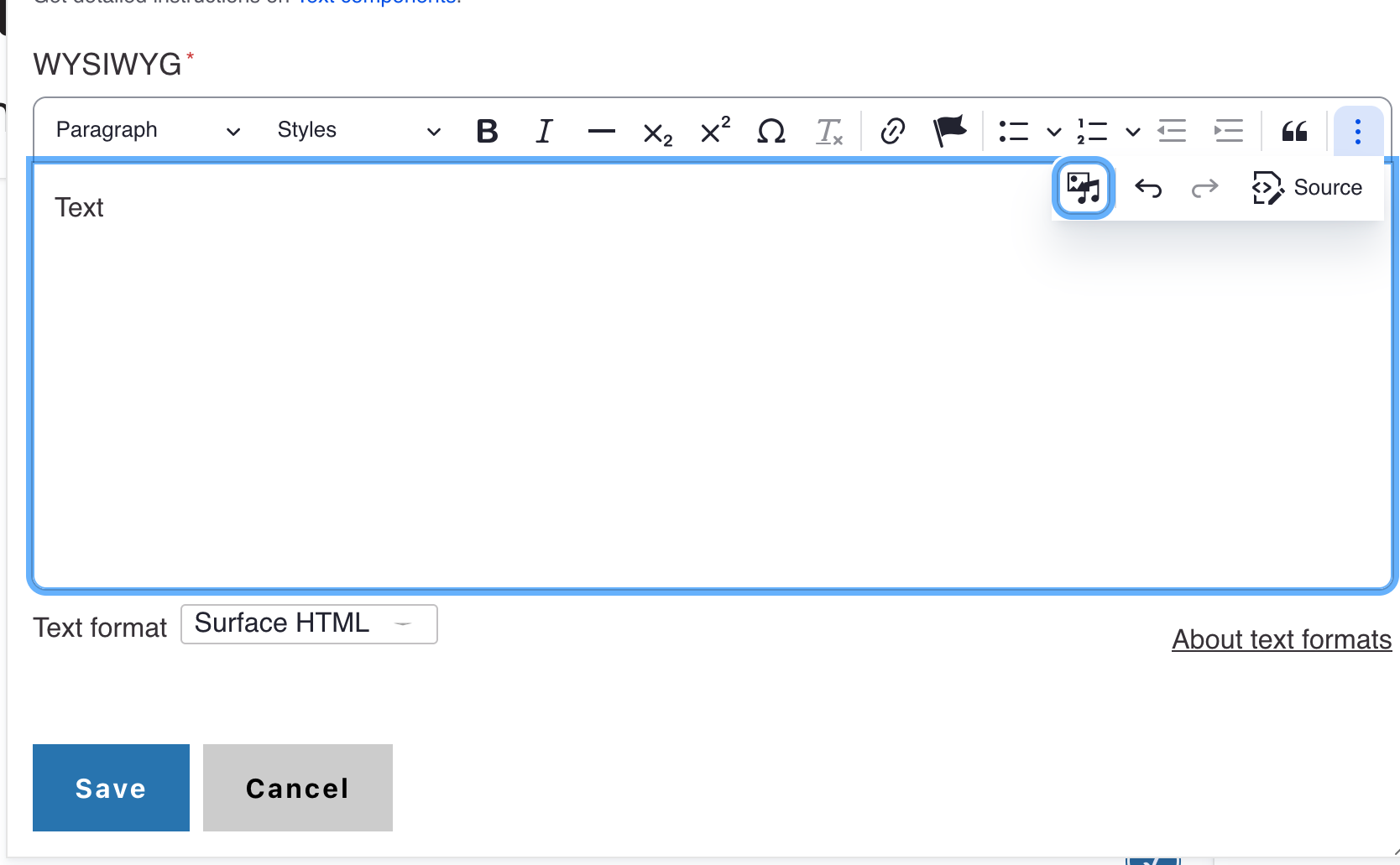
- Select the appropriate text.
- Select the Insert from Media Library icon
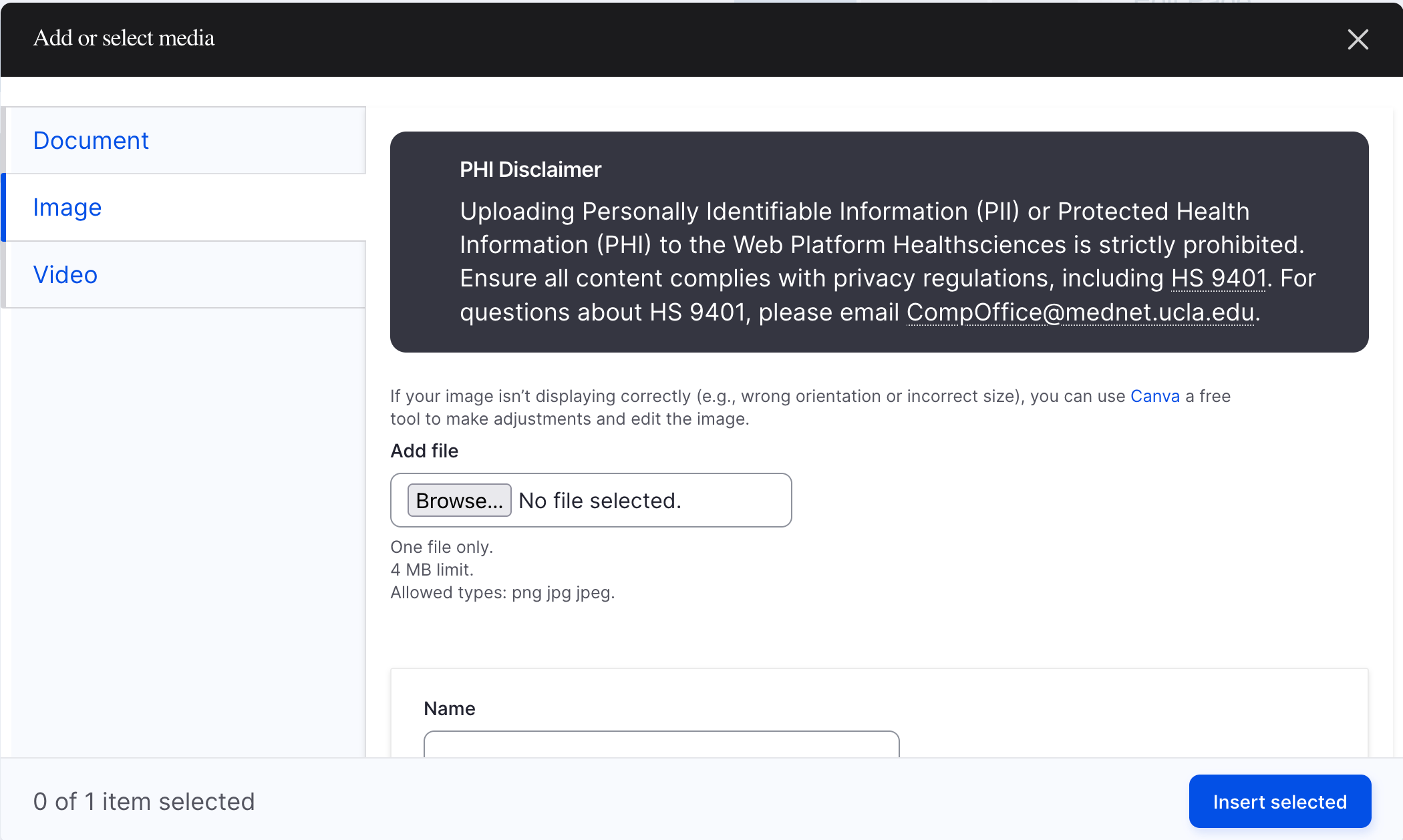
- Select the desired media type option from the list
- Select the Choose File button to upload a new image or search and select an existing image. If you upload an image, you will need to add the image alternate text. Then, click Save.
- Click save and insert.

Editing Images in the Media Library
- Go to the Administration panel and select the Content > Add Media > Image
- Enter an image name and alternative text. You will also need to add a Caption if you want to display the image caption.
- Click Save
Cropping
You can use the Crop Image tool on any image that is already in your site or for new images. We recommend using the Crop Image tool in the media library.
- Once the image is added, select the Edit media button to adjust the image cropping, alternative text, or caption.
- Expand the Crop Image accordion
- Review the image preview for each aspect ratio
- Adjust the blue lines on the image to include the main focal point
- Scroll to the bottom of the page and click Save.


